Every time a customer pays at your counter, a record is created: what they bought, how much they paid, which stock went down, and whether the money came in as cash or UPI. For many shops, those records used to sit in a bill book and a stock notebook. So what is POS software? It is the program that keeps those records for you, on the same machine you use to bill, and keeps everything connected. This post explains how it works, which features matter for a small or growing shop, and how to decide whether it fits yours.
What is POS software?
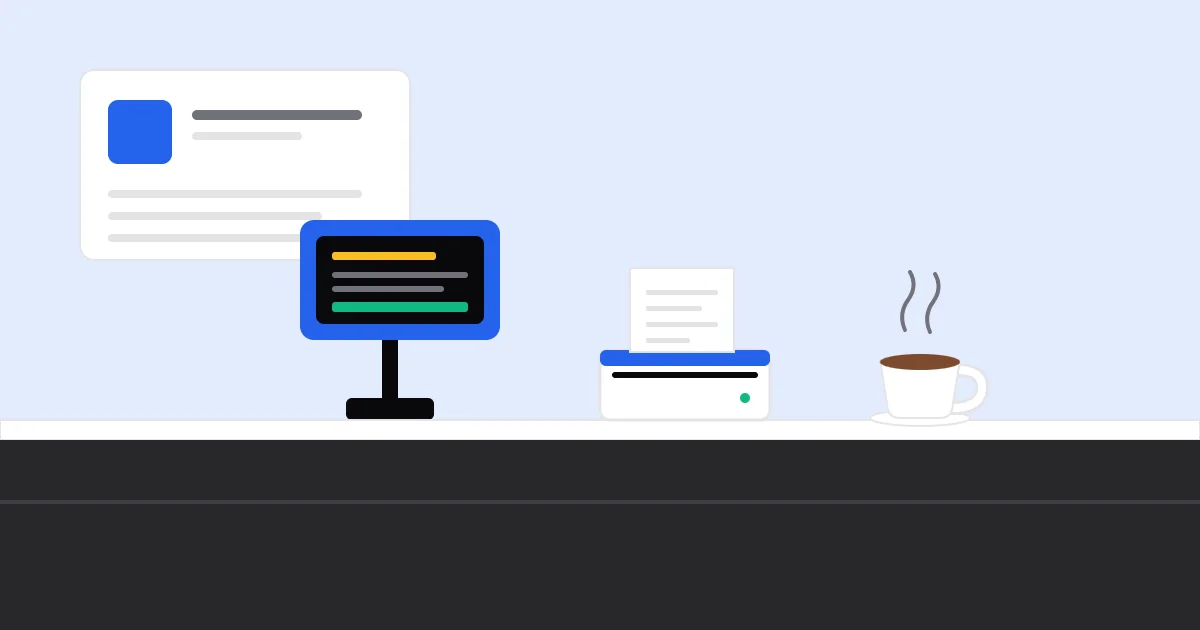
POS stands for point of sale, which is the spot where a sale is finished, usually the billing counter. POS software is the program that runs there. It lets the cashier pick what the customer wants, works out the total with tax and discounts, prints or sends the bill, records the payment, and updates your stock and sales in the same step. The machine can be a computer, a tablet, a billing machine, or even a phone, often connected to a receipt printer, a barcode scanner, or a cash drawer.
A simple billing app and a full POS system look alike at the counter, but they work differently behind it. A simple billing app only makes a bill. A POS system uses that bill as one entry in the bigger picture. Each sale reduces your stock, adds to the customer's history if you keep one, and feeds your daily and monthly reports. You don't type the same thing in three places, and you don't wait until month end to learn how the shop did.
What does POS software do for a shop?
For most shops, the main job is billing. The cashier types an item's name or scans its barcode, the quantity and price fill in on their own, and the bill is ready in seconds. Good software also handles discounts, offers, and more than one payment method, so a customer can pay part in cash and part by UPI without the cashier doing the sums on a notepad.
The second job is stock. When a sale is done, the software takes those items off your stock count. If you set a minimum level for each product, you get a warning before a best seller runs out. You can also see which items have sat on the shelf for months. Owners who used to count everything by hand on weekends often say this saves the most time.
The third job is reports. At the end of the day you should see total sales, cash and digital payments separately, the top-selling items, and any returns or discounts given. You use these numbers to check the cash drawer, plan what to buy, and decide what to reorder. Without a system, most owners only have a rough idea of these numbers. With one, the numbers are exact.
Why are shops moving from bill books to POS software?
The first reason is usually speed. A queue feels much longer when the cashier is writing each item by hand and adding up in their head. A POS system shortens the time for each customer. This matters most during festival rushes and lunch hours, when queues are longest and mistakes are most likely.
The second reason is accuracy. Totals written by hand are easy to get wrong, and a wrong total either costs the shop money or annoys the customer. Software does the maths the same way every time. The bill, the stock change, and the day's report all come from the same entry, so they match.
The third reason is control. When several people work the counter in shifts, it is hard to know who sold what and where the cash went. A POS system records who made each sale, so you can check each shift's total and spot a difference quickly. Owners with more than one shop also like seeing each shop's sales and leftover stock on one screen, instead of phoning each counter at night.
The fourth reason is paperwork. Many businesses need proper GST bills, and keeping them in order by hand takes time. Software can make and store them automatically, which makes it easier to prepare for tax returns and to answer your accountant's questions.
How does a sale actually go through a POS system?
Imagine a small cafe during the morning rush. A customer orders a filter coffee for ₹120 and a veg sandwich for ₹180. The cashier adds both items, and the total before anything else is ₹300. The customer gets 10% off, which is ₹30, so the amount left is ₹270.
Next, the tax is added. Suppose the tax on these items is 5%. That adds ₹13.50, so the total is ₹283.50. Many shops round the final amount to the nearest rupee, which would make it ₹284. The exact rule matters less than using it the same way every time, and a good POS system lets you set it once.
When the cashier confirms the payment, the bill prints, the cash or UPI payment is saved, and the stock count for coffee and bread goes down by one each. At the end of the day, the sales report shows the same amount for this bill as the money in your drawer. That match is the real benefit: the bill, the stock, and the report all tell the same story.
Which features should you look for in POS software?
Start with how fast billing is. Test the system with your own items, not a demo list. Check how many taps it takes to finish a common sale, whether search works when you type only part of a name, and whether your staff can learn it in a day or two. If a cashier struggles in the demo, they will struggle during a rush.
Next, check what happens when the internet goes down. In many parts of India, connections are unreliable, and software that stops when the net stops will cost you sales. Ask whether billing keeps working without internet and updates the records once the connection comes back. Also ask what happens if the machine breaks, and how a safety copy of your data is kept.
Third, look at tax and bills. Confirm that the software can make bills and GST bills in the format your business needs, and that it applies the right tax rate to each product you sell. Tax rules depend on the product and the type of business, so have your accountant check the settings before you rely on them.
Fourth, look at stock and buying. Check for low-stock warnings, a simple way to record what you buy from each supplier, and an easy way to fix the count after goods go bad or after you count the shelves. If you sell the same item in different sizes or colours, as a clothing shop does, check how the software handles that.
Fifth, think about growth. If you plan to open another shop, ask whether you can see each shop's sales and leftover stock in one place, and whether each shop can run its own counter. Software that works for one shop can become hard to manage across several.
Finally, think about your phone. Being able to see the day's sales on your phone lets owners check the numbers from home or while travelling. Make sure the reports are easy to read on a small screen, and ask how you can get a copy of your data to share with your accountant.
Is POS software different for restaurants and cafes?
Food shops have extra needs. Orders may come from tables, from waiters, from delivery apps, or from a self-order screen, and the kitchen needs to see them quickly. Some restaurants want to see which tables are taken, and some want the kitchen to get orders on a screen instead of paper slips.
The basic billing and stock ideas still apply. But in a cafe or restaurant, the stock is often raw material like milk, bread, and spices, not finished items, and one menu item may use several of them. Ask whether the software can link each menu item to the raw material it uses, or whether it only tracks finished items. The answer tells you how useful the stock feature will be for you.
How do you choose a POS system for your business?
Begin with the problems you want to fix. Write down the three things that cost you the most time or money today. It might be slow billing during rushes, a stock count that never matches, or arguments about the cash drawer. A good system should clearly solve those problems. If it doesn't, the features you pay for may not help you.
Next, try it at the counter. Use real products, real customers if possible, and the staff who will actually use it. Note where they hesitate and where the software slows them down. Many problems only appear when the counter is busy, so try it in a busy hour, not a quiet afternoon.
Then ask about the full cost, not just the price you see first. Find out what is included, whether there are setup or training charges, what machines you need, and whether help is available during your shop hours. Get the answers in writing so you can compare options fairly.
Finally, check that you can take your data with you. If you ever switch software, you want to bring your product list, customer details, and sales history. Ask how to get a copy of your data and whether it is backed up. This question is easy to forget and hard to fix later.
Where does Entrocy fit in?
Entrocy is an all-in-one POS and business management platform for shops, supermarkets, grocery stores, cafes, restaurants, bakeries, clothing stores, and electrical and hardware shops in India. It keeps billing, stock, sales, customers, suppliers, payments, expenses, and reports in one place. It includes GST billing, billing that keeps working without internet and updates when the connection returns, management of more than one shop from one account, and a mobile POS. To see how it would work at your counter, you can book a demo at https://calendly.com/entrocy/30min or reach out through https://www.entrocy.com/contact.
Should your shop make the switch?
If your counter still runs on a bill book, or on a billing app that doesn't talk to your stock, a POS system will likely save you time and cut down mistakes. The right choice depends on how many people use the counter, how many shops you run, and where your biggest daily problems are. Start with the problems you want to fix, test the software during a real rush, and make sure you can take your data with you. A short demo is often the quickest way to see whether a system fits how your shop works.
Frequently asked questions
What do shops use POS software for?
POS software is used to finish sales at the counter. It makes bills, takes payments, and updates stock and sales records in the same step, so the day's figures stay right without separate typing.
Can POS software work without internet?
Some systems can. Look for software that keeps billing during an outage and updates the records once the connection comes back. Ask the seller to show this working before you rely on it.
Is POS software only for big stores?
No. Small shops, cafes, and bakeries often gain the most, because one or two people may be doing everything. The right setup depends on how many sales you make and how many staff you have, not on the size of your shop.
How long does it take to move from a bill book to POS software?
It depends on how many products you have and how many people will use it. A practical way is to add your product list, train staff on a few common sales, and run the software alongside the bill book for a few days before you stop using the book.